Troubleshooting Common Hoverboard Problems
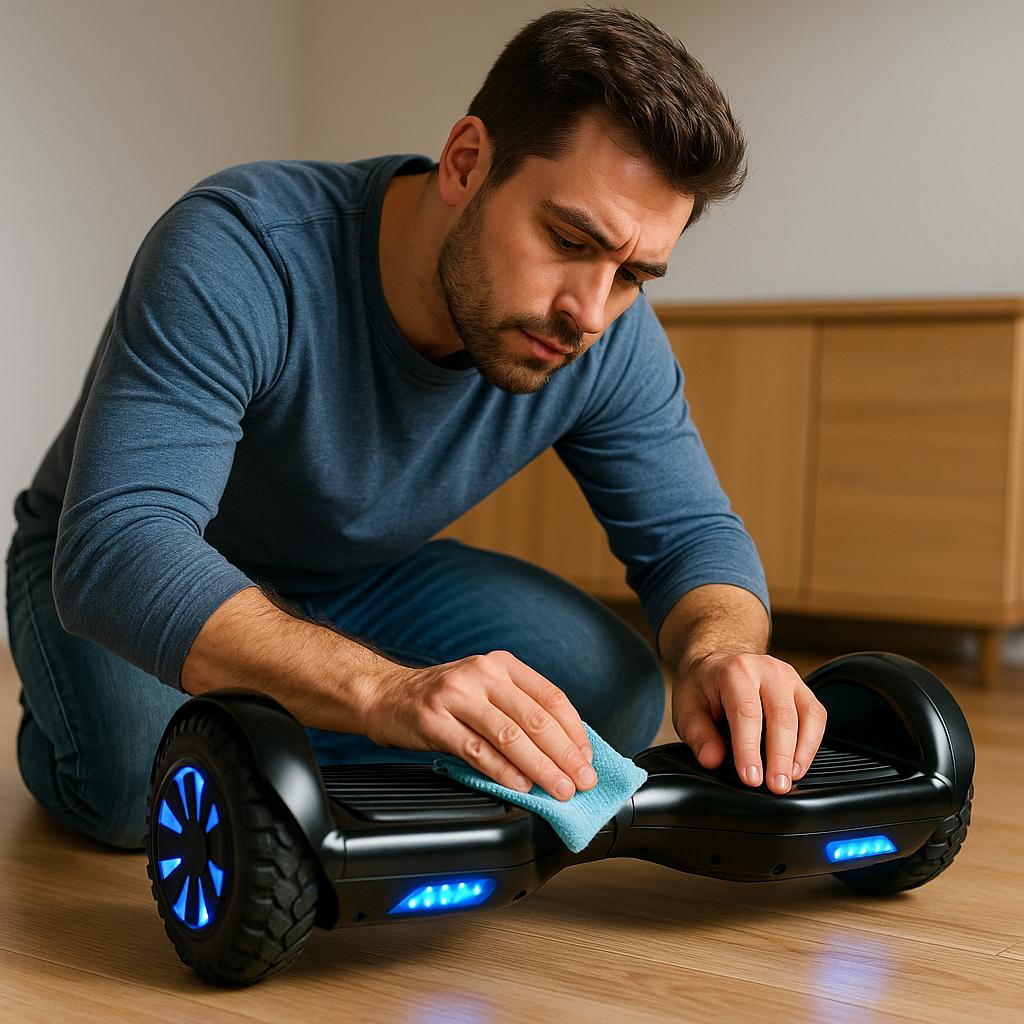
Even the best hoverboards can run into occasional issues. The good news is that many common hoverboard problemshave simple fixes you can do at home. In this guide, we’ll cover typical hoverboard issues – like imbalance or calibration problems, battery and charging troubles, weird beeping noises, and more – and explain how to troubleshoot and potentially fix them. By understanding what’s causing these problems, you can often get your hoverboard back to normal without a trip to the repair shop.
Before diving into specific fixes, always remember: safety first. If at any point a hoverboard issue seems dangerous (burning smell, intense overheating, visible damage), stop using it immediately and seek professional help. For less serious quirks, here are the common problems and DIY solutions:
1. Hoverboard Not Balancing (Tilt or Calibration Issues)
Symptom: You step on your hoverboard and it tilts too far to one side, or it feels like one side is stronger than the other, causing you to spin or lean. Or, when you try to ride straight, it drifts or turns on its own.
Likely Cause: The gyroscope sensors are misaligned – basically, the hoverboard has “forgotten” what level is. This can happen if the board took a jolt or even over time as it’s used.
Fix – Recalibrate It:
- Step 1: Power off the hoverboard.
- Step 2: Place it on a flat, level surface. Ensure that both foot pads are level (use a bubble level tool or eyeball that the board’s halves are parallel to the ground).
- Step 3: Press and hold the power button for 5-10 seconds (depending on your model) until you see the LED lights start flashing.
- Step 4: Release the power button. The lights will continue to flash – keep the board completely still during this time.
- Step 5: After about 15-30 seconds, the lights may stop flashing or you’ve given it enough time. Press the power button to turn it off.
- Step 6: Turn the hoverboard back on. Try stepping on now – it should be level and not tilting on its own.
If the first calibration attempt doesn’t fix it, you can try one more time. If after recalibration it’s still not balancing correctly, there might be a hardware issue (like a bad gyroscope board on one side). In that case, it’s best to contact the manufacturer or a repair service – the internal board might need replacement.
2. Hoverboard Won’t Turn On (No Power)
Symptom: You press the power button and nothing happens – no lights, no sound. Or it died mid-ride and won’t turn back on.
Likely Causes: If completely unresponsive, it could be a battery issue (fully drained or defective) or an internal wiring/power switch issue.
Troubleshooting Steps:
- Check the Charger: First, plug in the charger to the hoverboard (and the wall, obviously). Does the charger’s indicator light turn on? Typically, chargers have a red/green light – green means charged or no load, red means charging. If the charger light doesn’t turn on at all, the charger may be bad or not making contact.
- Charger Light Behavior: If you plug into the board and the charger light stays green constantly (and the board was presumably empty), it could mean the battery or connection is bad (as it’s not accepting charge). If it turns red then back to green quickly, maybe the battery is actually full.
- Ensure Proper Connection: Some charge ports can be loose. Make sure the charger is plugging firmly into the hoverboard’s port. Look into the port – any damage or bent pins?
- Battery Level: It might just be completely drained. Leave it on charge for 2-3 hours and then try again to power on (even if the charger light stayed green, give it some time).
- Master Reset (if applicable): A few hoverboards have a battery reset or internal reset button (check your manual). Most don’t, beyond calibration, but worth a look.
- Try a Different Outlet: Eliminate a faulty wall outlet as a cause.
If after charging, it still won’t turn on at all, the battery pack could be faulty (or a fuse if the board has one internally, or the power button connection). This likely needs professional servicing or a battery replacement. If under warranty, contact the company. If not, a handy person can sometimes open the board and test the battery with a multimeter to see if it’s outputting the correct voltage.
3. Hoverboard Turns On but Immediately Beeps and Shuts Off
Symptom: You turn it on, maybe it flashes lights or beeps a few times, then powers itself off.
Likely Causes: This often indicates the battery is critically low or there’s a safety mechanism kicking in. It can also indicate a balance issue where it doesn’t detect being level (some boards will refuse to stay on if they think they’re upside down or something).
Steps to Fix:
- Charge the Battery: The simplest cause is an almost empty battery. Charge the hoverboard fully, then try turning it on again.
- Calibrate (on Off chance): If it’s an orientation detection issue, you could try calibrating (as in problem #1) if you can get it to stay on long enough to initiate that (some will allow calibration in the “on with error” state).
- Error Code via Beeps: Count the beeps before it shuts off. Some hoverboards actually signal specific errors with a certain number of beeps or flashing light patterns (e.g., 3 beeps could mean a motor issue, 4 beeps a battery issue, etc. – you’d need the code from your manual or support).
- Inspect for Damage: Did this start happening after a fall or bump? Possibly a cable inside came loose. If you’re comfortable, you could open up the shell and visually check that all connectors are firmly seated on the circuit boards.
Often, this symptom points to a bad battery that can’t hold any charge (so under load it collapses and the board turns off). Or a bad gyroscope on one side making the board think something’s wrong. If charging doesn’t help, you might need a new battery or other internal component replaced.
4. One Wheel Not Working / Hoverboard Spins in Circles
Symptom: One side of the hoverboard seems fine, but the other side doesn’t move or is jittery. If you stand on it and try to go forward, you end up spinning because only one wheel drives. Or the board tilts to one side.
Likely Cause: This points to either a bad motor or a faulty gyroscope board on the side that’s not working. Hoverboards typically have two motor-wheel assemblies and two sensor boards (one for each half) plus a mainboard. If any of those fail on one side, that side stops balancing/driving.
What to Do:
- Recalibrate First: As in step #1, just in case it’s a calibration data issue. It rarely fixes a totally dead side, but it’s easy to try.
- Check Motor Connections: If you open up the hoverboard (disconnect battery first! and only if you’re confident doing so), you’ll see cables from the motor and sensors. Ensure all connectors are snug. A loose cable could cause one wheel to stop. Look for any obvious damage to wires leading to that wheel.
- Test Each Side Separately: Some hoverboards allow a “diagnostic mode” or you can carefully lift one side and apply slight pressure on the foot sensor to see if that wheel reacts. If one motor doesn’t react at all even though its sensor knows you’re there, that motor might be dead.
- Leave Internal Swaps to a Repair Service: Opening the board exposes the battery pack and its wiring. If one side still fails after the checks above, contact the maker, or a qualified repair service out of warranty, rather than swapping gyroscope boards or motors yourself.
Realistically, a one-wheel issue often requires replacing that wheel’s motor or that side’s gyroscope board. Contacting a professional or the manufacturer for spare parts is a good route. The fix might involve soldering or at least careful unplugging/plugging of cables, so take care.
5. Hoverboard Battery Won’t Charge / Charger Stays Green
Symptom: When you plug in the charger, the charger’s light stays green (indicating it thinks the board is full, but the board is dead or low). Or the charger light might be red but stays red way longer than usual and the board never shows a full charge.
Possible Causes:
- Charger isn’t actually charging the battery (defective charger or port).
- Battery is full (but if your board is not turning on, then it’s not actually full – more likely a false reading).
- Battery has an internal fault and isn’t accepting charge.
- The charging port wiring is loose, so the battery isn’t connected to the charger properly.
What to Try:
- Test the Charger Output: If you have a multimeter, you can check the charger’s plug tip for the correct voltage (often around 42V for a 36V hoverboard battery). If the charger is dead, it’ll show nothing. A dead charger means easy fix – get a new charger (make sure specs match).
- Check Charging Port: Inspect where you plug the charger into the board. Is it wobbly or pushed in? Sometimes the port can get damaged or wires behind it detach (especially if yanked). If it feels loose, that might be the issue. The port is wired to the battery pack, so have it replaced by the maker or a qualified repair service rather than opening the board yourself.
- Battery Indicator: If your hoverboard has a battery level indicator (some have a little LED gauge), see what it reads after hours of “charging”. If it’s still low, clearly no charge is going in.
- If the Battery Protection Has Tripped: The battery management system (BMS) can shut the pack off for safety, for example after a hard jolt or a deep discharge. Do not try to jump-start the pack, apply a charge directly to it, or ride it further to reset it. A pack that will not take a charge from its own charger needs the maker or a qualified repair service.
- Professional Help: If charger and port are fine, likely the battery pack needs repair or replacement. Lithium batteries degrade, and the BMS can fail. Contact the manufacturer if under warranty. If not, see if they sell battery replacements for your model; use only the maker’s own pack, never a rebuilt or modified one.
Always be cautious with battery issues. If you suspect the battery is the fault, handle it carefully – a damaged lithium battery can be hazardous. Don’t open or poke the battery pack itself; leave that to professionals.
6. Continuous Beeping or Blinking Lights (Error Indicators)
Symptom: The hoverboard is beeping non-stop (or a series of beeps) when turned on, and maybe won’t ride properly. Or you see flashing red lights on the board (some boards flash a red center light to indicate errors or low battery).
Likely Causes: Continuous beeping often indicates something like low battery (most common) or a persistent error state.
Steps:
- If It’s Low Battery Beep: Usually, low battery beeping happens when riding and the battery gets low – the hoverboard will beep to warn you, and often lights will flash. The fix: stop riding and charge the board. It should stop beeping once charged above the threshold.
- Gyro or Motor Error: Some boards beep if they detect a sensor fault (for example, if one wheel’s motor sensor is not reporting speed). As mentioned, many boards have specific beep counts for different issues. Check your manual or the brand’s website for an “error code” chart. For instance, 5 flashes on a particular model might mean motor fault on left side.
- Reboot and Calibrate: Turn it off, make sure it’s on level ground, and turn it on again. If it still beeps immediately, try the calibration process as earlier described – maybe it thinks it’s imbalanced.
- Check for Physical Blockages: Sometimes a piece of debris stuck in the wheel or a foot sensor being jammed can cause a board to freak out. Ensure nothing is pressing the foot pads (some boards beep if turned on while sensors think someone’s on it). Clean around the footpad area in case dirt is causing a false trigger.
- Temperature or Slope: Hoverboards may also beep if the riding surface is too inclined or if they overheat. If you were riding and it started beeping, consider if you were on a very steep slope or if the board feels hot. If overheated, turn it off and let it cool.
If none of those, the beeping code likely points to a component issue (gyroscope, motor, battery, etc.). You might need to get that part replaced. Using the beep count and consulting support can pinpoint which part.
7. Hoverboard Shakes or Vibrates While Riding
Symptom: When trying to stand on it or at certain speeds, the hoverboard isn’t smooth – it shudders or vibrates, making it hard to ride.
Possible Causes:
- If at very low battery, some boards might jerk due to low power. But more commonly:
- One of the wheel motors or sensors is having trouble, causing uneven torque.
- The surface you’re on is very rough and the board is bouncing (though typically the self-balance should handle minor bumps without “shaking”).
- Calibration could be slightly off, causing an oscillation as it overcorrects balance.
- Weight distribution: Are you at the upper or lower limit of weight? Sometimes very light riders (below min weight) experience shaking because the board’s sensors don’t register consistently.
How to Address:
- Charge Up: If your battery is nearly empty and it starts jittering, charge the board first.
- Calibrate Again: A mis-calibrated board can sometimes oscillate. Do the standard calibration.
- Surface Check: Does it do it on all surfaces? Try a smooth indoor floor vs rough asphalt. If it’s fine on smooth but shakes on rough, it might just be the bumpiness of the terrain – remember small wheeled hoverboards don’t handle cracks well. However, if it shakes on smooth floor, then there’s an internal issue.
- Rider Weight: If a child is way under the recommended weight, the board might act weird. Solution: a rider under the maker’s minimum weight or age should not ride that board. Wait until they meet the maker’s limits, and never alter the foot sensors to compensate.
- Mechanical Check: Lift the board and spin each wheel by hand. Feel for any catching or roughness. A motor bearing could be failing, causing vibration. If you hear grinding from a wheel when spun, that motor might need repair or replacement.
- Tire/Wheel Out of Round: For air-filled tires, ensure they’re inflated evenly. An underinflated tire could wobble. For solid tires, see if the wheel is true (not wobbling as it spins). Any warping might cause vibration each rotation.
If the problem persists, it may be a sign of a failing component on one side that can’t keep up, leading to that shaky feeling. Professional diagnostics may be needed.
8. Hoverboard Only Charges for a Short Time / Short Runtime
Symptom: It charges “quickly” (the charger light turns green far sooner than it used to), and then when riding the battery dies much faster than before.
Likely Cause: The battery is losing capacity – common as it ages. Over time and many cycles, lithium batteries hold less charge.
Solutions:
- Refresh Calibration on Battery Indicator: Sometimes the battery indicator might be misreading. You could try fully charging, then using the board until it dies (carefully, at low speed near home because you don’t want to be stranded), then fully charge again. This can recalibrate the battery meter.
- Check Charger Output: Ensure the charger is actually delivering full voltage. A partially faulty charger might stop early. If you have a spare charger or know someone with one, test with another charger to rule that out.
- Battery Replacement: If the board is a couple years old or has seen heavy use, the battery likely needs replacement. Capacity loss is inevitable. Look for an official replacement pack, or a third-party battery of matching specs that’s known to be compatible.
- Riding Habits: Note that aggressive riding (top speed, hills, a heavier rider) will naturally shorten each charge’s runtime. If you’ve changed how or where you ride, consider that in expectations. Cold weather also temporarily reduces battery capacity – in winter, you may get shorter rides.
No quick fix other than replacing the battery if it’s indeed due to aging. Battery packs can sometimes be refurbished by replacing the cells, but that’s a specialty job. If under warranty and the battery has degraded unusually fast, contact the manufacturer.
9. Bluetooth Not Connecting / Speaker Issues
Symptom: Your hoverboard’s Bluetooth won’t pair with your phone, or it pairs but no sound from the speakers, or sound is distorted.
Things to Try:
- Pairing Mode: Make sure the board is in Bluetooth pairing mode. Many announce something like “Bluetooth mode” or make a sound when ready to pair. If not, check if the board’s Bluetooth is already connected to another device (maybe it auto-connected to someone else’s phone around).
- Reset Bluetooth: Some hoverboards might reset Bluetooth connection on reboot, or have a separate button. Turn the board off and on, and try pairing again. Remove the device from your phone’s list and re-scan.
- Distance: Stay close to the board (some have short range).
- Speaker Volume: Check your phone volume. Also, some boards have an app that controls volume or EQ, ensure it’s not muted there.
- Multiple Devices: Ensure no other phone nearby is trying to connect. Sometimes if a family member connected once, their phone might snag the connection before yours can. Turn off Bluetooth on other nearby devices while troubleshooting.
- Distorted Sound: Could be a poor connection – try a different song or source. If always distorted, the speaker might be damaged or the amplifier. Not much you can do except replacing that speaker (which is possible by opening the board and swapping it out – they are usually small 4Ω speakers, but you’d need the right size).
- App Issues: If using a specific hoverboard app for music, try using direct Bluetooth audio (like connect via phone’s Bluetooth menu directly). The apps sometimes are finicky.
If Bluetooth remains uncooperative and it’s a feature you care a lot about, you may need to consult the manufacturer’s support – perhaps a firmware update could fix connectivity issues if it’s a known bug.
10. The Hoverboard Will Not Stop Beeping (Continuous Alert Even When Off)
Symptom: In rare cases, people have reported their hoverboard beeping continuously and not shutting up, even when they turn it off – almost like it’s stuck in an error state.
Likely Cause: This is usually due to some internal fault – possibly the logic board thinking a sensor is triggered or a footpad sensor stuck, etc. If it’s literally beeping with power off, it might mean the speaker/beeper isn’t actually turning off.
What to do:
- Hard Reset: Try holding down the power button for 15+ seconds to see if it forces a reset or something. If that doesn’t work, let the battery drain completely (if it’s beeping, it’s using energy – eventually it’ll die).
- Disconnect Battery (Advanced): The sure way is to unscrew the shell and unplug the battery pack from the main board. This will definitely stop the beeping (and power down everything). Keep it unplugged for a minute, then reconnect. This might clear whatever glitch it had.
- Inspect Foot Sensors: Sometimes if something heavy was left on a footpad when turning off, the board might have “thought” someone was still on it. Ensure the footpad switches aren’t jammed. Clean around them.
- Firmware Glitch: Continuous beeping could be a sign of a controller malfunction. If possible, see if a firmware update is available or if the company has a known fix (maybe a sequence of button presses to reset internal memory).
If the beeping continues whenever the battery is connected, you might have a bad control board. Replacement of the mainboard or sensor boards could be needed. At that point, contacting support or a repair tech is wise.
General Advice: Whenever fixing issues, work in a clear space and keep track of any screws or parts you remove. Hoverboard internals aren’t extremely complex, but there’s a bunch of wires and a couple of circuit boards in there. Take photos as you disassemble if you go that route, to help in reassembly.
Always prioritize safety. Don’t attempt repairs that feel beyond your ability. And never ride a hoverboard that you suspect has a serious malfunction – you don’t want it failing under your feet at the wrong moment.
Conclusion
Most common hoverboard problems can be resolved with some patience and basic troubleshooting. We’ve covered issues from balancing troubles to battery quirks and weird noises. By systematically checking each potential cause, you can often zero in on the culprit and apply the fix – whether it’s a recalibration, a new part, or a simple reset.
If your hoverboard is still under warranty, and especially if the problem is with a non-user-serviceable part, don’t hesitate to reach out to the manufacturer. But if it’s out of warranty, we hope these tips empower you to get your hoverboard back on the road (or sidewalk) again.
For ongoing care and to prevent some problems in the first place, check out our Hoverboard Maintenance and Battery Care guide. And as always, ride safe! If you’re ever in doubt about a fix, seek professional assistance – hoverboards are fun, but safety is key.
Happy troubleshooting, and we wish you many more smooth and enjoyable hoverboard rides ahead!